Your carrier owes you more than they paid. Find it.
Upload your sales and the carrier's payout report. CPR matches every sale to its payment and shows you exactly what came up short.
- Every underpaid, unpaid and clawed-back sale, itemized
- Two files in — no spreadsheets, no formatting
- Learns your carrier's report once, then runs hands-free
- Dispute-ready detail: order numbers, amounts, dates
Estimates produced by automated matching. Always verify a discrepancy with your carrier before acting on it.
Sign in or subscribe belowCPR — Comp Paid Right
Enter your email address or phone number and we will send a one-time sign-in code to your email.
Access is limited to approved emails. Codes expire after 10 minutes, and the security check keeps automated sign-in attempts out.
- Upload
- Confirm columns
- Results
Sale types found in this file
Sale types found in this file
Only gaps larger than $0.50 are flagged. An activation you expected $265.00 on that paid $264.85 is off by $0.15 and still counts as paid correctly; one that paid $255.00 is off by $10.00 and gets flagged as underpaid. It applies to each activation on its own, not to the run total.
What couldn't be reconciled
These payout categories are sourced outside the activation export. They are totaled here so nothing is dropped silently.
Run history
Every reconciliation you have run, most recent first.
Carrier Payout Rates
What the carrier owes you for each type of sale.
Pick or add a payout structure
One per carrier contract. Add a new one when your rates change, so past reconciliations keep using the rates that applied at the time.
Choose how to fill in your rates
Documentation
How each part of this dashboard works, step by step.
Reconciliation
Choose how to bring in your files
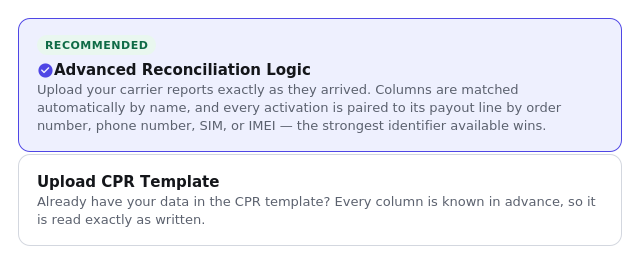
On the New Reconciliation tab, pick one of two paths. Advanced Reconciliation Logic (recommended) takes your carrier files exactly as they arrived — columns are matched automatically by name, so there is nothing to prepare first. Upload CPR Template is for data already in the CPR template, where every column is known in advance and checked strictly.
Upload your files, name the run, and set a tolerance
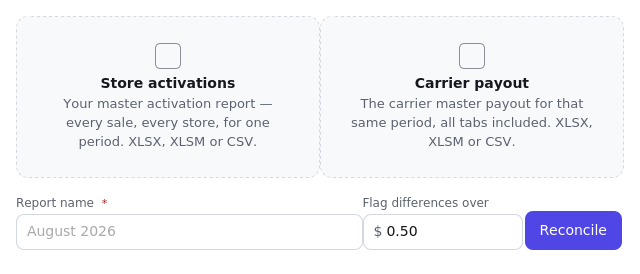
Two files are needed: your store's master activation report, and the carrier's master payout for that same period. Give the run a name — the month is a sensible choice — so it is easy to find again in History later. "Flag differences over" sets how many cents of rounding to ignore before a line counts as underpaid or overpaid; it is checked against each activation on its own, never against the run's total.
Liberty Puerto Rico files are recognised on sight: upload the Salesforce activations export (DailySalesforceSales…) and the dealer statement workbook exactly as downloaded, with your Liberty payout structure selected. Columns, sale types, plan tiers, protection plans, prepaid percentages and non-commissionable orders are all read from the files themselves — nothing to map and nothing to assign.
Tell CPR what an unfamiliar value means, if it asks
After a file is read, a short breakdown appears under it showing how many rows fell into each sale type. If a value in the file — a plan name or product code the carrier uses — does not match anything CPR already knows, an "Assign sale types" button appears so it can be told what that value means, once. It is remembered after that; the same carrier's file in future months is read without asking again.
Run it, and read the results
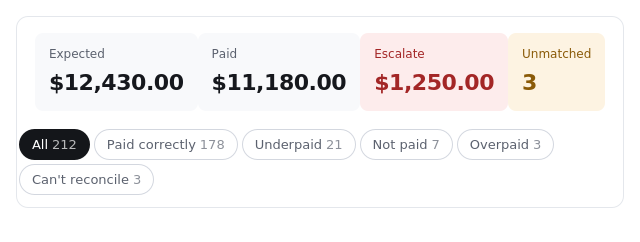
The top of the results shows four totals: Expected (what the payout structure says was owed), Paid (what the carrier actually paid), Escalate (the gap worth disputing), and Unmatched (activations with no corresponding payout line, or vice versa). Every activation also lands in exactly one category. Tap any category to see just those lines.
- Paid correctly — the carrier paid what the payout structure says it owed, within tolerance.
- Underpaid — paid less than expected. This is what ends up on the escalation.
- Not paid — matched to the activation report, but no payment for it was found at all.
- Overpaid — paid more than expected. Worth a look, but not an escalation.
- Chargebacks — the carrier clawed back a payment, regardless of what the arithmetic alone would say.
- Informational — lines that are not owed anything under the current payout structure, shown for completeness rather than action.
- Can't reconcile — an activation with nothing on the carrier side to compare it against.
- Payout only — a payout line with no matching activation — the reverse of the one above.
Download the Escalation CSV
This is the file to send the carrier: everything underpaid or not paid at all, in one sheet. Any single category can also be downloaded on its own — useful for checking just the chargebacks, for instance, without the rest of the run. Verify the numbers against your own records before sending anything.
Find a past run again in History
Every run you have started is listed there, most recent first. Open one any time to review it or download its files again, including the escalation CSV.
Carrier Payout Rates
Pick or add a payout structure
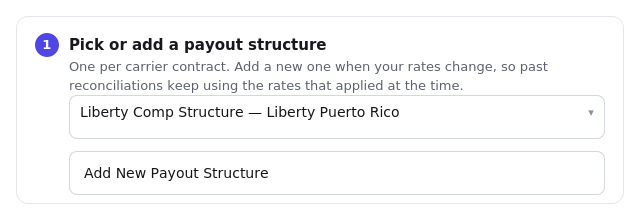
One per carrier contract. The picker holds every structure you have already saved; Add New Payout Structure starts a fresh one and asks for a name and the carrier it is for. When rates change, add a new structure rather than editing the old one — each carries the date it took effect, so a reconciliation always prices against whichever rates were actually in force on that activation's date. Past reconciliations never change retroactively because a newer structure was added.
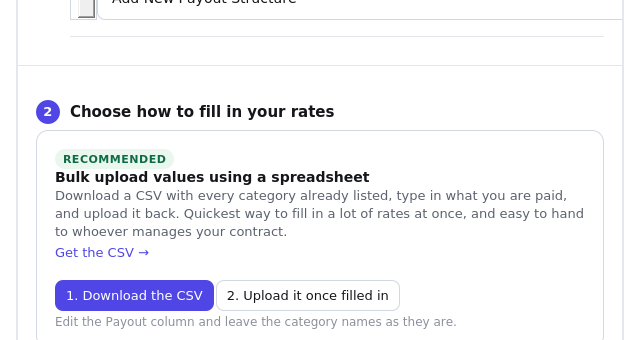
Choose how to fill in your rates
Bulk upload using a spreadsheet is the fastest way in for a full rate sheet, and the recommended option: download the CSV, every category CPR knows about is already listed with its own row, type in what is actually paid under the Payout column, and upload the same file back. The category names must be left exactly as downloaded — only the Payout column should change. Enter values manually opens the rate table directly and suits a handful of categories typed straight in, or a quick correction to one or two rows.
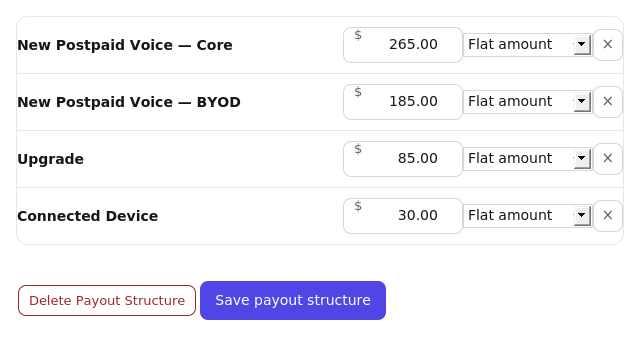
Check the rates, then save
Each row is one sale type: what it pays, and whether that amount is a flat dollar figure or a percentage. Leave anything not paid for blank rather than entering zero — a blank row is simply not priced, which is different from being priced at nothing. The × on a row removes that category from this structure; Add a sale type at the bottom brings back anything removed. Save writes the structure. Delete only appears once a structure has actually been saved — there is nothing to delete on one still being set up.
My Account & Messages
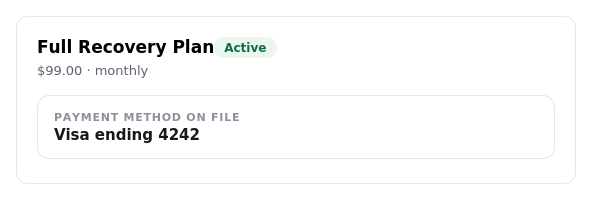
Your subscription
Shows your plan, its status, the price, and the payment method on file.
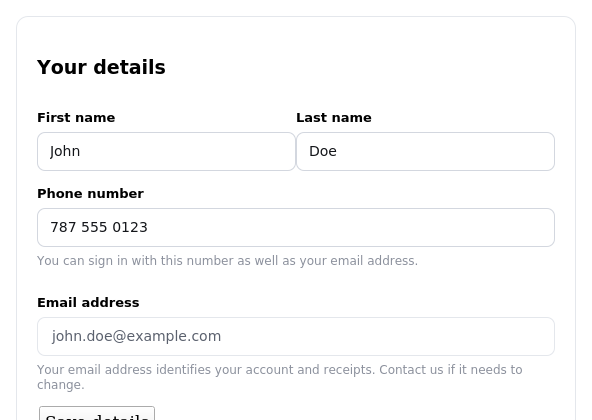
Your details
Update your name and phone number, and see the email your account is signed in with. The email itself is not editable here since it identifies the account and its receipts.
Messages
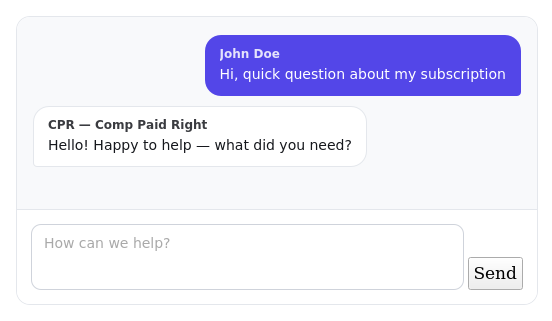
Send a message to the CPR team any time. A reply appears right in the same conversation, and you also get an email when one arrives.
This tool uses automated matching to read files and price activations. It can make mistakes. Verify escalation amounts against source records before sending anything to the carrier.
Privacy and security
Where your information goes
Nowhere. Everything you upload and every result you produce stays on this site. Nothing is shared with anyone outside your company, nothing is sold, and nothing about how you use this tool is tracked.
The files you upload
Your activation and payout files hold real customer names and mobile numbers, so they are not kept around. Each file is checked to make sure it is a genuine spreadsheet, read once to pull out the figures, and erased within seconds. Only the reconciled result is saved. Nobody can reach an uploaded file by guessing a web address, because they are never stored anywhere reachable.
What is kept after a run
For each line: order number, mobile number, IMEI, customer name, store, activation date, what was expected, what was paid, why they differ, and any notes you add while chasing an escalation.
- Customer names and mobile numbers appear in full. If that is not right for your store, ask whoever set this up to turn on hiding.
- Runs disappear on their own after 365 days, along with everything in them. Download anything you want to keep for longer.
Who can see your work
Your runs and your history belong to the email address you sign in with. Colleagues who sign in with their own address see their own work, not yours, so two people can use this side by side without their numbers mixing together. The one shared part is Carrier Payout Rates, since those come from the same carrier contract for everybody.
Signing in
There is no password to remember or leak. A fresh code is emailed to you each time and stops working after ten minutes, and only approved addresses ever receive one. You can start sign-in with your email address or with a mobile number saved on your account; either way the code goes to your email, never by text. Once you are in, you stay signed in for 12 hours, and the screen signs itself out after 15 minutes of inactivity, warning you first. The maths question on the sign-in screen is there to keep automated scripts from flooding anyone with emails.
When an administrator views your account
Someone who administers this website can open CPR as you, so they can see exactly what you see when helping with a problem. They cannot do it without being signed in to the website as an administrator in their own right, and a bright bar across the top names whose account is being viewed for as long as it lasts. Anything done while viewing as you stays recorded against their account, not yours.
Matching orders to payments is done automatically, and automatic does not mean correct. Check the figures against your own records before you send anything to the carrier.
Downloads and emailed reports
A downloaded CSV, or one emailed from here, carries real customer names and mobile numbers in plain text. Regular email is not private the way a sealed envelope is, so send reports only to people who are meant to see customer information, and think twice before forwarding one on. Once a report has been sent, its copy is erased from the site straight away.
Worth doing
- Sign out when you are finished on a shared or store computer.
- Keep downloaded files somewhere sensible, and delete them once the escalation is settled.
- If you get a sign-in code you did not ask for, ignore it. Nobody can get in without the code itself.
- If you change your work email, mention it to whoever looks after this site, or your past runs will not follow you.
This explains how the tool handles information. It is not legal advice, and it does not replace whatever rules your company or your carrier agreement already put on customer data.